![Collective Minds_logo.png]](https://help.collectiveminds.health/hs-fs/hubfs/Collective%20Minds_logo.png?height=22&name=Collective%20Minds_logo.png)
Locate your case under My Cases or inside your Group. Click the 3 vertical dots located within your case and select REVERT TO DRAFT.
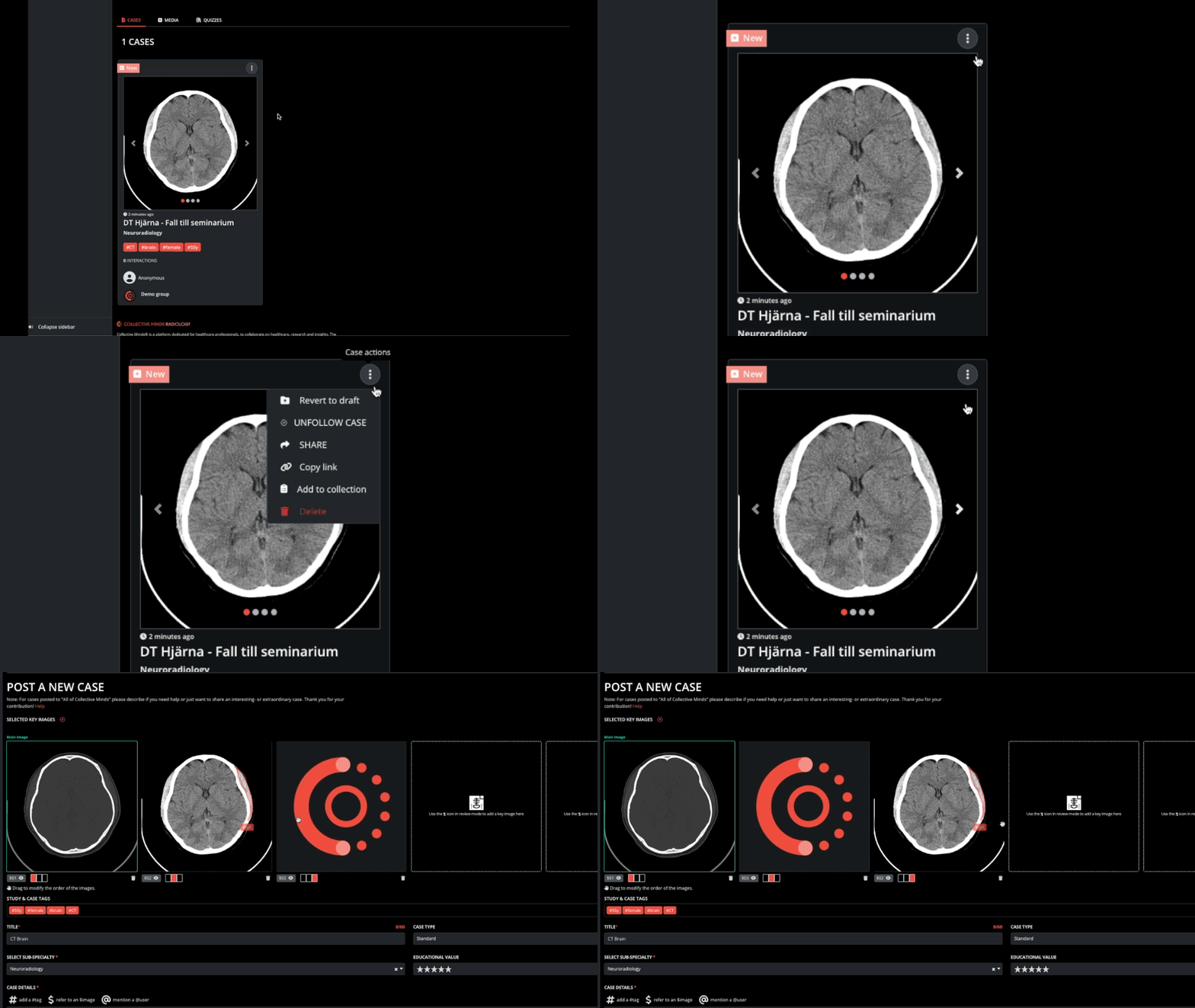
Once your case is reverted to draft, you can adjust the hanging protocol, title, case location, and other information about your case. Make sure to click SAVE DRAFT or PUBLISH to save any new changes.
When the case is in draft it will not be visible to other users and can be located via the MY CASES > DRAFT CASES menu.
Please note that it is not possible to revert your case to draft if your case contains one or multiple replies.
- Currently has case replies
- Is being used in a group quiz
To revert a case with replies back to draft, follow these steps:
Use the Delete all replies feature in the case or follow the steps below.
- Via the 3 vertical dots select DELETE.
Don't worry no data is lost during this process. - Next, go to the MY CASES > DELETED CASES folder.
- Click the 3 vertical dots on top of the deleted case and select RESTORE.
- The case will return back to the DRAFT state.