![Collective Minds_logo.png]](https://help.collectiveminds.health/hs-fs/hubfs/Collective%20Minds_logo.png?height=22&name=Collective%20Minds_logo.png)
Web Uploader Options
The web uploader previewer provides built-in tools to streamline the curation and preparation of DICOM studies prior to upload.
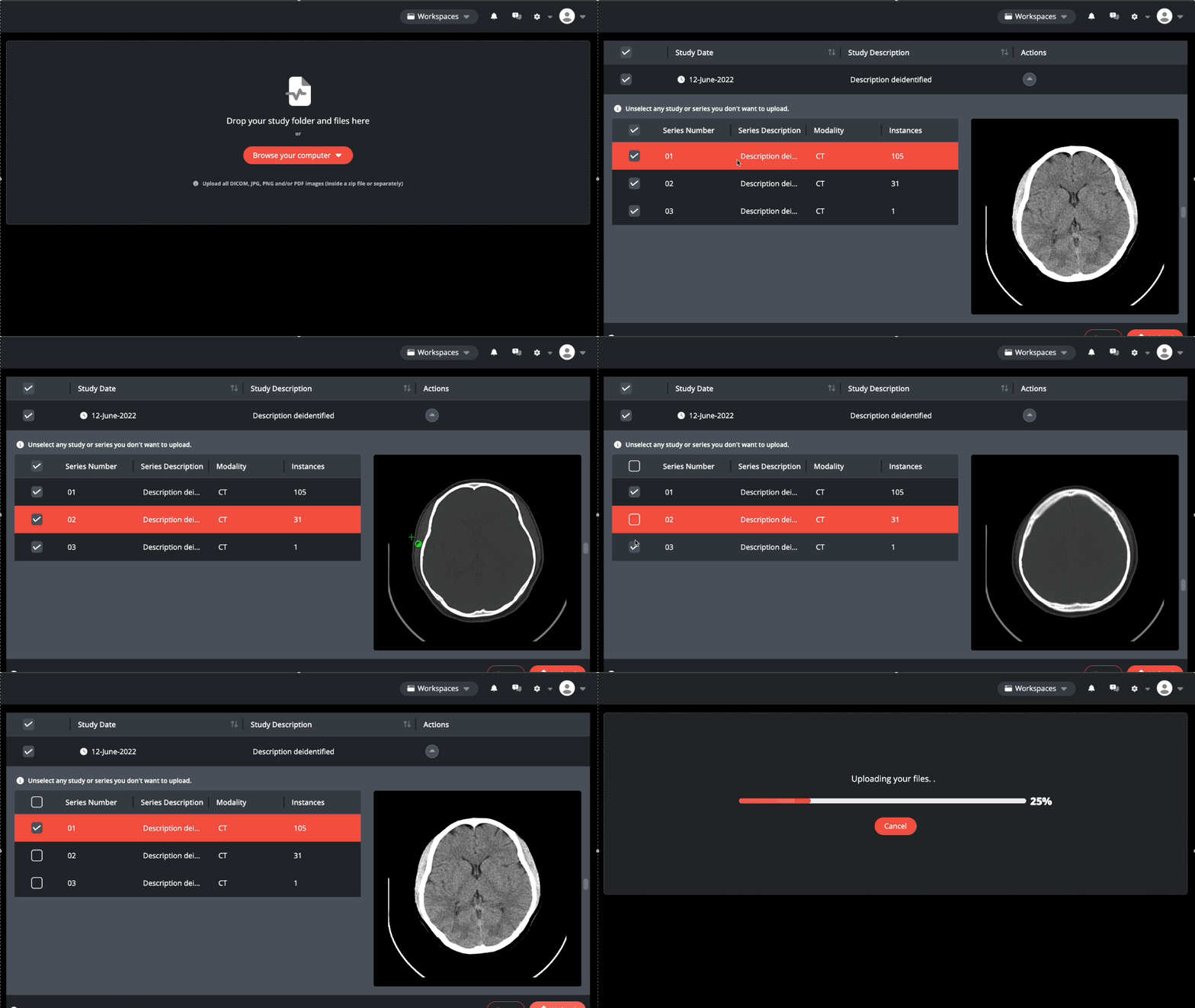
☑️ Select / Deselect a Series
Deselect a series from the study list to exclude it from upload.
Note: Series with US and OT modalities are automatically deselected because they may contain embedded patient-identifiable information. Please review the images and manually select any that are safe to upload.
Managing Large Series (Actions)

Any series containing over 500 instances to be uploaded via web upload will be flagged for review due to potential performance impact.
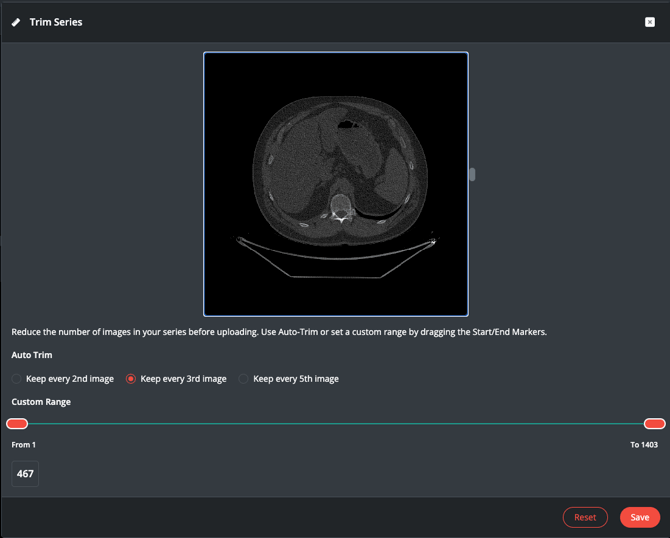
Use Auto Trim or manually set a custom range by adjusting the "From" and "To" end markers. Only images within the selected range are included; images outside the range are excluded. This helps remove unnecessary instances and reduces the size of the series before upload.
Trim Series ✂️ ➡️------------keep---------------⬅️ ✂️
Keep only the images you need by defining start and end points within a series stack—ideal for large datasets.
Auto Trim ✂️
Quickly refine a series volume by selecting to keep every 2nd, 3rd, or 5th image
Example: A 1,403-image thin slice CT series can be reduced to 701, 467, or less, improving load times while remaining effective for education. Press Reset to restore the original series.
DICOM Pixel Mask (Ultrasound & Embedded PHI) 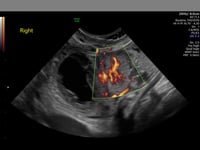
Use the DICOM anonymiser to automatically detect and redact embedded patient identifiers in an US DICOM folder.
After processing, preview and download the redacted study file for webupload.
The web uploader also includes automatic filters for a variety of supported ultrasound machines, which can redact identifying information from the US DICOM header during upload.
For more information, see: Ultrasound Filters
Curating a Study via Your Institution List
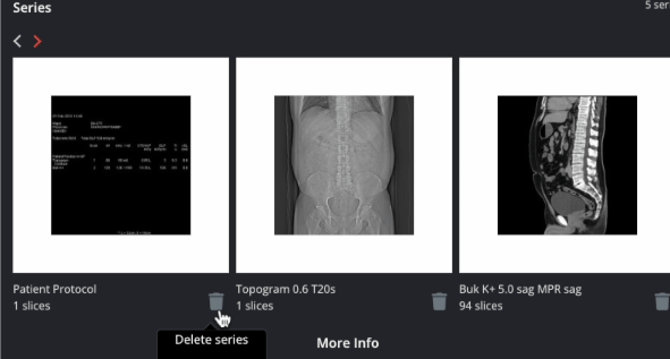
Previewer and Delete series - Bin
Use the institution previewer to identify and delete unwanted series using the bin icon.
After removing a series, you can create a draft case.
For more information, see: How to post a case pushed from your institution